
How AI Avatar Videos Are Transforming Corporate eLearning Development
AI avatar videos give L&D teams another way to deliver scripted explanations, process guidance, and course introductions without recording a human presenter for every update. Used well, they can make video production easier to scale while keeping the learning objective, script, visuals, and assessment aligned.
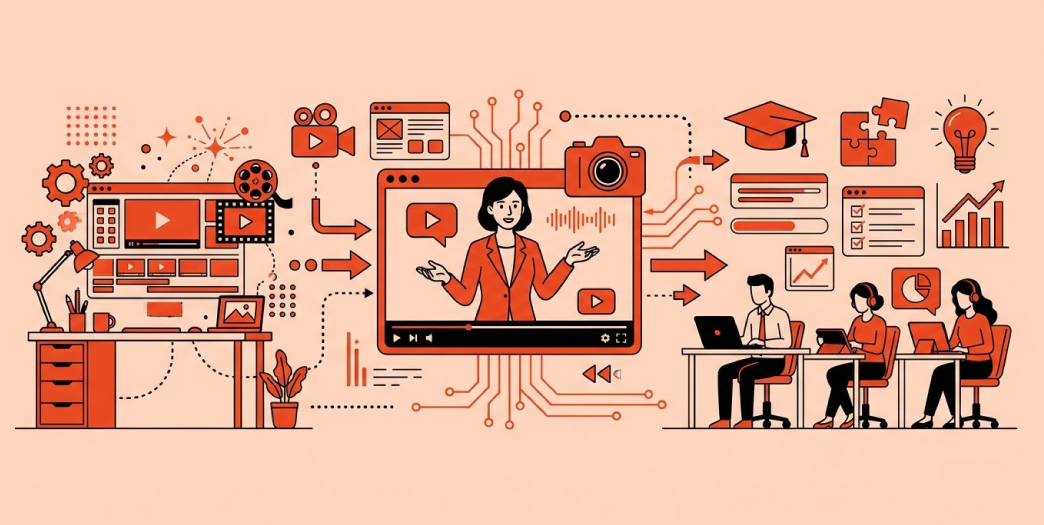
AI avatar videos give L&D teams another way to deliver scripted explanations, process guidance, and course introductions without recording a human presenter for every update. Used well, they can make video production easier to scale while keeping the learning objective, script, visuals, and assessment aligned. BrinX can create presenter videos with synthetic avatars from a script supplied by the course author. The strongest results come from thoughtful design and human review, not from the avatar alone.
Why Video Production Has Become an L&D Bottleneck
Corporate training often depends on subject-matter experts who have limited time to appear on camera. A policy changes, a product process is revised, or a new hire needs a walkthrough, and the team must coordinate scripts, recording time, retakes, edits, captions, approvals, and publishing. The production burden can make even a small update feel like a separate project. For L&D teams, AI avatar videos are most valuable when a message is repeatable but still benefits from a visible presenter.
AI avatar videos offer another production route: a presenter delivers a script through a synthetic on-screen avatar. This can help teams create repeatable explanations and revise the script when information changes, without arranging a fresh studio recording for each iteration. The value is not that every course suddenly needs a presenter. It is that video becomes a more practical option when a visible guide supports the instruction.
This is especially useful for onboarding, compliance, product, process, and systems training that must stay consistent across teams. For recurring explanations shared across departments, AI avatar videos can help maintain a consistent presenter-led format. AI generated training videos can support repeatable explanations, provided the script and final output are reviewed. In practice, the most useful AI generated training videos begin with approved content and a defined learning objective.
What Makes an AI Avatar Useful in Corporate Learning?
An avatar is a presentation format, not an instructional strategy. Start with what learners need to understand or do. A synthetic presenter can introduce a topic, explain a sequence, or connect sections. A real demonstration or specialist may be more appropriate when learners need to inspect fine detail or observe a physical technique.
The best AI avatar videos have a clear instructional job: a focused script, plain language, sensible pacing, and visuals that clarify the message. Rather than placing a talking face in front of dense text, reinforce a workflow with labels or diagrams, and follow a decision explanation with a short scenario or knowledge check.
A 2025 study in Computers & Education involving 447 participants compared human-made and AI-generated teaching videos. Learning outcomes were similarly high across both formats, although participants reported a small preference for the experience of human-made videos. A separate workplace training study in the Journal of Workplace Learning, involving more than 250 professionals, found no significant differences in several effectiveness measures when videos were compared by actual modality. Together, these studies suggest synthetic presenters can work, while design and audience experience still matter.
Where AI Avatar Videos Can Help Most
Onboarding and employee orientation
New hires often need consistent explanations of systems, processes, and policies. A presenter-led introduction can guide learners before role-specific practice. A bank of AI avatar videos can keep introductions consistent and easier to update, while managers provide examples specific to each role.
Compliance and policy education
Policies can be dense. A short presenter segment can explain a policy’s purpose before learners work through scenarios or questions. AI generated training videos can clarify recurring concepts, but wording must match approved materials. Regulated or safety-critical content needs qualified review before publication. Well-scripted AI avatar videos can frame the topic, while approved source material and review protect accuracy.
Product and process training
When a product feature or workflow changes, a script-based presenter video can explain the update or introduce a demonstration. For technical tasks, pair it with screen captures, diagrams, or equipment-specific footage. Used this way, AI avatar videos complement the demonstration instead of competing with it.
System walkthroughs and refresher learning
A synthetic presenter can introduce an application or transition between demonstrations, while screen recordings show the interface and expected result. AI avatar training videos should support—not replace—direct practice. They can also help with refreshers when the script and source material are updated and approved. Short AI training videos can make recurring reminders easier to schedule without rebuilding the whole course.
How AI Presenter Videos Fit Into a Course Development Workflow
A repeatable workflow helps teams use the format intentionally. An AI training video generator can support the presenter-production step once the script is ready:
- Start with the learning objective. Define what learners should know, decide, or do. This determines whether a presenter video is needed and what it should cover.
- Build the script from approved source material. Keep the essential explanation, remove unnecessary detail, and align terminology with current documentation.
- Choose the right visual support. Decide where the presenter should appear and where a diagram, screen capture, worked example, or real demonstration will teach more clearly.
- Generate and review the video. Check pronunciation, timing, appearance, wording, and the match between the spoken script and visuals.
- Add learner interaction. Follow the video with a knowledge check, scenario, practice activity, or reflection question where it supports the objective.
- Test the complete course. Review captions and playback, check the sequence on the intended device, and approve the finished learning experience.
An AI video generator can reduce the effort required to produce a scripted presenter segment, but teams must still set the objective, validate information, and maintain source ownership. The right AI video generator supports production; it does not replace the learning-design decisions around the video.
How BrinX Supports AI Avatar Video Creation
BrinX can create AI avatar videos. The platform creates presenter videos with synthetic avatars from a script provided by the course author and uses HeyGen for avatar video generation. This makes avatar production part of an AI-assisted course-development workflow rather than a disconnected video task. Within that workflow, AI avatar videos can sit alongside lessons, narration, and knowledge checks.
Teams can start with a script and review the generated video in the context of the course. The broader BrinX course-building workflow can also include source-document processing, lesson structure, learning objectives, quiz questions, images, narration, subtitles, and translations, helping keep the presenter segment aligned with the lesson.
For onboarding, a synthetic presenter might introduce a policy, a screen recording demonstrate the workflow, and a short assessment check understanding. An AI training video generator can help produce the presenter segment from an approved script. For a product update, annotated visuals can show the affected interface. Choose the mix based on the objective and the practice learners need.
However, Brinx makes it clear that AI output is a draft and must be reviewed before reaching learners. Generated content can lose nuance or present outdated claims confidently. Specialist content needs particular care, and synthetic voices or avatars should not imitate real people without consent. A responsible AI avatar generator workflow includes human approval. Teams should select an AI avatar generator based on script support, output quality, and how well the video fits the course workflow.
Design Principles for Better AI Avatar Training Videos
Keep the script conversational. Write for listening, not reading. Use short sentences, explain acronyms, and make transitions explicit. Dense policy paragraphs usually need editing before narration.
Keep the presenter purposeful. Use the avatar to guide attention, introduce a concept, or explain a decision. If learners need to see a machine, interface, or physical technique closely, show the real object or screen.
Pair speech with meaningful visuals. Research on multimedia learning explains why words and relevant pictures can work together when designed around how people process information. Richard Mayer's chapter on the Cognitive Theory of Multimedia Learning, published by Cambridge University Press, outlines the roles of visual and verbal processing and the need to coordinate them. Avoid decorative images that compete with the explanation; visuals should clarify the content.
Design for accessibility. Review captions for accuracy, keep text readable, and avoid relying on audio alone for critical instructions. The W3C guidance on captions for prerecorded media explains that captions should provide synchronized text for audio, including relevant non-speech sounds. Generated subtitles should therefore be part of the quality check, not an assumed finished product. When AI training videos are part of a series, keep subtitle style and terminology consistent across modules. Well-designed AI training videos should also reinforce a clearly defined learning objective.
Be transparent about synthetic media. Follow internal disclosure policies and give learners appropriate context about AI-generated presenters. Consistency and trust improve when people understand how a training asset was created.
Evaluate learning, not just production. A polished presenter does not prove that learners understood the material. Use questions, practical demonstrations, or on-the-job indicators where appropriate.
These principles apply to one explainer or a larger series. AI avatar training videos are most useful when the script, visuals, and assessment form a coherent learning experience.
Choosing the Right Use Cases for AI Avatar Videos
The strongest use cases share three traits: the message is scriptable, a presenter adds clarity, and an accountable subject-matter expert can review it. Examples include course introductions, policy explainers, process updates, product overviews, and orientation modules. A planned series of AI avatar videos can also help standardize repeatable explanations across teams.
An AI training video generator should be part of a format decision, not the default for every lesson. An AI training video generator is especially useful when a script can be reused across recurring explanations and updates. Live experts may suit sensitive topics, real footage may be essential for equipment operation, and interactive practice may be needed when learners must demonstrate an action.
Before scaling, test one course end to end. Compare production effort, review time, learner feedback, assessment results, and ease of future updates. A second project can use what the team learned about scripts, consistency, approval, and accessibility. Teams can apply the same checks to future AI training videos before expanding production. Those checks should also be repeated whenever scripts or source materials change.
Conclusion: Make Video Easier to Produce Without Losing the Learning Purpose
AI avatars make presenter-led learning easier to update and deliver consistently. The opportunity is not to turn every lesson into a video, but to use video when a presenter can guide learners and the course gives them a chance to apply what they hear.
With BrinX, teams can generate presenter videos from supplied scripts and integrate them into an AI-assisted course workflow. By pairing generation with review, relevant visuals, accessible delivery, and meaningful assessment, L&D teams can produce learning experiences that are easier to maintain and aligned with business needs. The objective is straightforward: streamline production while keeping instructional decisions grounded in human expertise. For repeatable explanations, AI avatar videos can make presenter-led learning easier to produce and maintain.
Ready to bring AI avatar videos into your training workflow? Explore BrinX and discover how you can turn scripts into presenter-led learning experiences.
FAQs
What are AI avatar videos in corporate training?
AI avatar videos are presenter-style videos in which a synthetic on-screen avatar delivers a supplied script. Organizations can use them for explanations, introductions, product overviews, and recurring training updates when a presenter adds value.
Can BrinX create AI avatar videos from a script?BrinX create AI avatar videos from a script?
Yes. BrinX can create presenter videos with synthetic avatars from a script provided by the course author. It uses HeyGen for avatar video generation, and the result should be reviewed before publication.
Are AI generated training videos effective?AI generated training videos effective?
Research suggests they can support learning outcomes comparable to human-presented videos in some contexts. Effectiveness still depends on the script, visuals, learning objective, and learner experience, so teams should evaluate the finished course rather than the presenter alone.
What should teams review before publishing AI avatar training videos?
Review factual accuracy, pronunciation, pacing, visual consistency, captions, accessibility, and the match between narration and on-screen material. Specialist and safety-critical content should receive qualified expert review.
What is the difference between an AI video generator and an AI avatar generator?
An AI video generator is a broad term for tools that create videos using AI. An AI avatar generator focuses on creating or animating a synthetic presenter. Some platforms combine avatar generation with script-based presenter-video production.
Turn your content into a course
BrinX.ai converts your SOPs, policies, and training documents into multimedia-rich eLearning modules, fast.
Build your first course free