
Create Training Quizzes With an AI Quiz Generator
A compliance team has policies and onboarding documents. It needs to check whether employees understand and can apply them. Writing questions and answer options takes time. An AI quiz generator can cr…
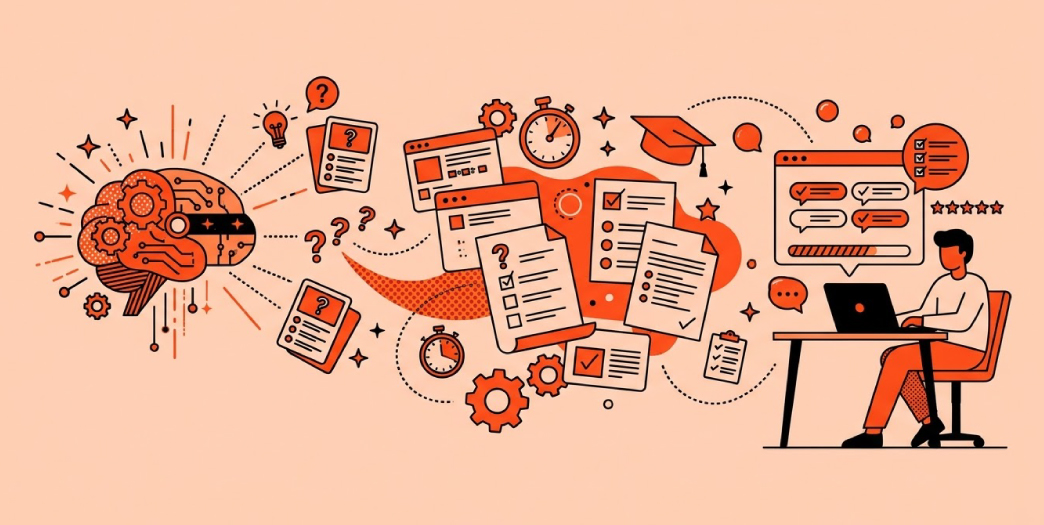
A compliance team has policies and onboarding documents. It needs to check whether employees understand and can apply them. Writing questions and answer options takes time. An AI quiz generator can create a first draft from selected content, but volume is not the measure of a good assessment. Use an AI quiz generator for drafting, not approval. Each item must match a learning objective, trace to an approved source, and test a work-relevant action. Clear instructions and human review remain essential. The goal is useful training quiz questions, not simply more questions. Brief the model around outcomes and approved source content.
What Makes a Training Quiz Question Good?
A good question tests an objective, has one defensible answer, and traces to a source passage. An AI quiz generator should focus on those outcomes. Use the AI quiz generator to draft only from relevant material. Knowledge check questions should measure a meaningful work skill. These knowledge check questions need source support. Well-designed knowledge check questions test observable outcomes.
Question Types and When to Use Each
Multiple Choice
Use multiple-choice items when learners must identify the best action. A multiple choice question generator should create a clear stem and plausible, distinct options.
Scenario-Based
A scenario places a rule in a realistic context, such as deciding what to do when a quality check falls outside an approved range. Ask an AI quiz generator to use scenarios only when the source supports the decision.
Sequencing
Use sequencing when order matters, such as a handover or escalation. An AI quiz generator can draft a sequence, but the source must specify it.
True or False (Use Sparingly)
True-or-false items test one rule but are easy to guess. Use a multiple choice question generator when learners must distinguish actions.
Trivia vs. Job-Relevant Items
Questions should test what employees need to do. A policy date is trivia unless it identifies the current version; an approval requirement tests responsibility. Training quiz questions should focus on action and judgment; additional training quiz questions should test distinct objectives.
Step-by-Step: How to Generate Quiz Questions With AI
A reliable workflow has seven steps: define the objective, select a format, provide the source, request plausible distractors, add feedback, verify the key, and pilot the items. An AI quiz generator speeds up drafting, but each item needs a source reference and a reviewer. The AI quiz generator should show the source.
Step 1: Start From the Objectives, Not the Document
Identify what learners should know or do after training. Long documents contain background and administrative details that may not belong in an assessment. Write observable objectives, then give them to the AI quiz generator before sharing the source.
Step 2: Choose the Question Type Per Objective
Match format to outcome: choices distinguish actions, scenarios test context, and sequencing tests order. An AI quiz generator can suggest a format, but the objective should decide. A quiz from pdf workflow should test a task or decision, not automatically turn every heading into recall.
Step 3: Provide the Source Section and Ask for a Reference Per Item
Share the current, approved source. Require a page, section, paragraph, or step reference for each item. This makes AI assessment questions easier to verify. Review AI assessment questions against the policy.
Start a quiz from PDF with pages tied to a learning objective. Verify that extracted text preserves symbols, tables, values, and notes; a recognition error can change a procedure. Keep the source reference so reviewers can return to the exact passage.
Step 4: Request Plausible Distractors Based on Real Mistakes
Distractors are incorrect options based on real mistakes: skipped approvals, confused thresholds, or misapplied conditions. Avoid joke answers.
Ask the AI quiz generator to explain each distractor. A multiple choice question generator should not invent options to meet a fixed count.
Berkeley Lab Training’s guide recommends aligning assessment with objectives and using plausible options. The University of Bath’s guide recommends common errors as distractors and clear, mutually exclusive options.
Step 5: Ask for Feedback Text That Cites the Step
Feedback should explain the reasoning and cite the source. When you create quiz from document drafts, request explanations for both response types and check for unsupported rules.
Step 6: Review the Answer Key Against the Source
A question can still have a wrong key. Confirm that the answer and explanation match the source. A subject matter expert checks accuracy; an instructional designer checks clarity and alignment. Review all AI assessment questions against the policy.
Step 7: Pilot the Quiz and Remove Ambiguous Items
Pilot the assessment with a small group. Check clarity, answer defensibility, and distractor quality. Test numbering, feedback, and scoring in the final course.
A Copyable Prompt and a Source-Trace Table
A useful prompt states the objective, source passage, format, and rules for answers and distractors. It requests a source reference and forbids outside facts. This makes the process repeatable and gives reviewers a consistent way to check whether each item tests the intended material.
What the Prompt Should Include
- Draft assessment questions from the source text below.
- Learning objective: [Insert one observable objective]
- Learner audience: [Insert role and experience level]
- Source text: [Paste the approved passage and its section or step number]
- Create [number] questions using [question type] at [difficulty level].
Test the objective with one defensible answer and plausible distractors based on realistic mistakes. Use only the source. Provide an answer, brief feedback for each option, and an exact source reference. Flag anything the text cannot answer.
Ask the AI quiz generator to flag gaps, not fill them with assumptions. The AI quiz generator should identify missing source information. For longer material, work with one objective or source section at a time. This makes review easier and reduces the risk of mixing procedures.
The Source-Trace Table
Record the evidence behind each item so the team can review it and update it when the source changes. For a quiz from PDF, include the page or section reference in the trace table.
| Item | Objective | Source step | Correct answer | Distractor rationale | Reviewer initials |
| Q1 | Identify required approval | Section 3.2 | Department head | Confuses approval with notification | AB |
| Q2 | Select escalation action | Step 6 | Notify supervisor | Skips required escalation | CD |
Use actual source references and reviewer names. Retain this traceability when you create quiz from document content.
Where AI Falls Short and What a Person Must Check
AI can produce incorrect keys, weak alternatives, or items that test wording instead of job performance. Review each against its source and objective. An AI quiz generator accelerates drafts, but it is not the final authority. This review is especially important when assessments influence safety, compliance, or operational decisions.
Wrong or Multiple Correct Answers
A question may misinterpret a rule or omit a condition. Review the stem and all options together. If two answers could be correct, add context or remove the item.
Weak or Obviously Wrong Distractors
Implausible options make a question too easy. Check that each distractor represents a real misunderstanding. A multiple choice question generator can suggest alternatives, but reviewers must reject overlapping or unsupported options.
Questions That Test Wording, Not Skill
Replace word-matching with a decision or relevant situation. Knowledge check questions should show whether learners can use the information.
Answer-Key Review Checklist
Before approval, confirm objective alignment, source support, one defensible answer, plausible distinct distractors, accurate feedback, clear wording, and current content.
An AI quiz generator should never replace that human gate. A 2026 Postgraduate Medical Journal systematic review reported errors in generated questions and highlighted expert review. It studied medical education, not corporate training, but supports checking items before consequential use.
Manual vs. General-Purpose AI Assistant vs. AI Course Creation Service
The difference is who handles drafting and course production. Manual writing offers control but takes time. A general AI assistant drafts from supplied text; an AI course creation service can include assessments in a wider workflow. Source accuracy and human review matter in every route. The choice depends on how much of the process the team needs help completing.
Comparison Table
| Approach | Drafting | Review | Course delivery |
| Manual | Team writes items | Internal reviewers | Team packages course |
| General AI assistant | AI drafts from source text | Team verifies every item | Team builds course |
| Course creation service | Service structures source and assessment | Client reviews before release | Service delivers package |
When teams create quiz from document content manually or with a general assistant, they still need to organise the course and prepare the package. If you create quiz from document content, keep a reviewer assigned.
Where BrinX Fits
BrinX is a full-service AI course creation service. You share source documents, and BrinX uses AI with instructional design review to structure them into a SCORM- or xAPI-compliant course. It can produce quiz questions and assessments from the source material as part of the course; your team reviews them before publishing. This keeps assessment connected to the learning content and places the questions within a complete course workflow. Send BrinX your documents and review the assessments it returns.
Conclusion
AI can reduce the effort of drafting assessments from policies, SOPs, manuals, and training documents. A useful quiz still needs an objective, a meaningful decision, credible options, and an approved source. Build around source tracing: define the outcome, review the key, and pilot before publishing. An AI quiz generator is most useful within this reviewed process.
FAQs
1. Can AI generate good quiz questions from a training document?
Yes. An AI quiz generator can draft questions when given an objective, audience, source passage, and format. A subject matter expert should verify the answer, distractors, and source reference before use.
2. How do I make sure each quiz question matches the source?
Request a page, section, or step reference. A quiz from PDF should be checked against that passage; reject assumptions and outside information. Use an AI quiz generator for the draft, not the final source check.
3. How do I get AI to write better wrong answer options?
Ask AI to create distractors based on realistic mistakes, such as skipped approvals, confused thresholds, or misapplied conditions. Each option should be plausible but clearly incorrect, distinct, and supported by the source context. Subject matter experts should review them before publishing.
4. How many quiz questions does a training module need?
There’s no fixed number. Include enough questions to assess the module’s key learning objectives without repetition. Consider content complexity, task risk, available learner time, and whether each question tests a distinct outcome.
5. Who should check the answer key before the quiz goes live?
A subject matter expert should verify accuracy and confirm that training quiz questions reflect the approved version. An instructional designer or assessment reviewer can check clarity, alignment, distractors, and learner suitability. High-stakes assessments need formal review. This final pass applies to AI assessment questions as well as human-written items.
Turn your content into a course
BrinX.ai converts your SOPs, policies, and training documents into multimedia-rich eLearning modules, fast.
Build your first course free