
How AI Generates Subtitles for Corporate Training Videos
AI generated subtitles for corporate training videos work as a pipeline: audio is extracted, a speech recognition model converts it to text with timestamps, and the output is split into caption cues a…
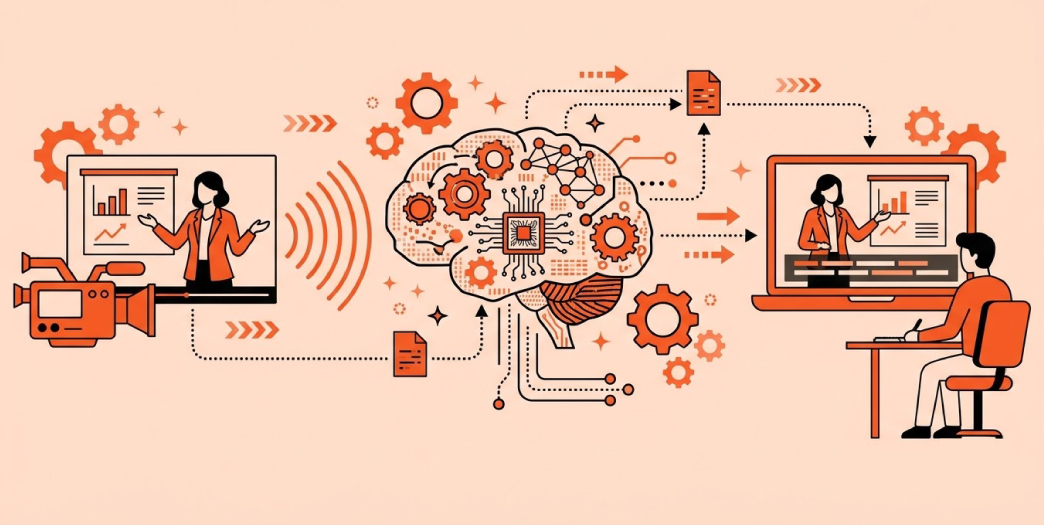
AI generated subtitles for corporate training videos work as a pipeline: audio is extracted, a speech recognition model converts it to text with timestamps, and the output is split into caption cues and exported as a file such as WebVTT. Accuracy varies with audio quality, accents, and vocabulary, so every file needs human review of names, numbers, and safety content. WCAG expects captions for prerecorded audio, which makes video accessibility a baseline. BrinX is not a video subtitle generator, but it turns training videos into SCORM or xAPI compliant courses.
Introduction
A compliance team publishes 200 training videos over three years. Then someone asks a simple question: which ones have captions? A new hire watches onboarding on a noisy shop floor with the sound off. A colleague who is deaf cannot follow a safety briefing at all. A regional team needs the same module understood by staff who work in a second language. The videos exist, but nobody can read them.
This is why AI generated subtitles have moved from a nice-to-have to a standard step in video production. This guide explains how the technology works, from audio to a timed text file, where it fails, what standards apply, and how to build a review process that makes automatic subtitles for videos accurate enough to rely on in corporate training videos.
Subtitles and Captions: What Is the Difference?
Captions transcribe speech and also describe other meaningful sounds, such as speaker changes and sound effects. Subtitles traditionally assume the viewer can hear and translate or transcribe the dialogue. In practice, many tools use the terms interchangeably, but the distinction matters for accessibility.
WCAG, the W3C accessibility standard, says captions must be provided for all prerecorded audio content in synchronized media, at its minimum conformance level (A). The same guidance lists a common failure: captions that omit some dialogue or important sound effects. That has a direct consequence for AI generated captions. A raw speech-to-text transcript captures words, but it rarely labels a warning alarm or a speaker change.
The Described and Captioned Media Program describes quality captions through five qualities, summarized by James Madison University: accurate, clear, consistent, readable, and equal. Readable means captions are shown in sync with the audio and with "ample time to read." These qualities make a useful checklist for judging any video caption generator.
How Does AI Generate Subtitles Step by Step?
AI subtitling is a pipeline, not a single action. Audio is extracted and cleaned, a speech recognition model converts it to text with timestamps, and a formatting stage splits the text into readable caption lines and exports a file. Each stage can introduce errors, which is why understanding them matters.
Step 1: Audio Extraction and Preparation
The system separates the audio track from the video, normalizes volume, and converts it to the format the model expects. Some pipelines also detect silence and non-speech segments. Clean input improves everything downstream, which is why a quiet recording room beats any software fix.
Step 2: Speech Recognition
Modern speech recognition for corporate training videos relies on neural networks trained on very large audio and transcript datasets. OpenAI's Whisper, a widely cited open model, shows the general design. According to the paper presented at ICML, it was trained on "680,000 hours of multilingual and multitask supervision." OpenAI's description explains that input audio is split into 30-second chunks, converted into a log-Mel spectrogram, and passed through an encoder-decoder Transformer. The decoder predicts text plus special tokens that direct tasks such as language identification and phrase-level timestamps.
That last detail is central to video subtitling. The same model that recognizes the words also estimates when they were spoken, which is what makes AI generated subtitles possible without manual timing.
Step 3: Punctuation, Casing, and Speaker Labels
Raw recognition output may lack reliable sentence boundaries, so pipelines commonly add punctuation, capitalization, and number formatting. Some add speaker labels by grouping audio by voice, which matters in interviews, role-plays, and panel discussions.
Step 4: Segmentation Into Caption Cues
A transcript is not yet a subtitle file. The text must be split into short cues that appear and disappear on schedule. Guidelines differ across institutions, so choose one standard and apply it consistently. Utah State University calls for no more than two lines and 42 characters per line, and the University of Illinois summary of the DCMP Captioning Key says captions should stay on screen at least one second and usually no more than six.
Good segmentation breaks lines at natural phrase boundaries rather than mid-clause. A weak video captions generator often produces accurate words in awkward chunks.
Step 5: Export and Delivery
Video subtitling output is typically a sidecar text file. The W3C describes WebVTT as a format whose files provide "captions or subtitles for video content", organized as cues tied to time intervals. Sidecar files can be toggled on or off and edited later. Burned-in (open) captions are part of the video image and cannot be turned off. WCAG recognizes both approaches, so choose based on your player and the audience for your corporate training videos.
How Accurate Are AI Generated Captions for Corporate Training Videos?
Accuracy varies by audio quality, speaker, and vocabulary. Standard measurement uses word error rate, the number of substitutions, deletions, and insertions divided by the number of words in a reference transcript. A low rate on a benchmark does not guarantee a low rate on your recordings.
A study in the Proceedings of the National Academy of Sciences tested five commercial speech recognition systems and found an average word error rate of 0.35 for Black speakers compared with 0.19 for white speakers. The tests were run in 2019, and systems have been updated since, but the lesson holds: accuracy is not uniform across voices, accents, and dialects. For a global workforce, that is a quality risk, not an edge case.
| Error source | Example in training videos | Practical fix |
| Product and technical terms | Internal system names heard as common words | Custom glossary and SME review |
| Accents and dialects | Regional pronunciation of safety terms | Human review of flagged segments |
| Background noise | Shop floor or open office recordings | Re-record or improve audio |
| Overlapping speech | Panel discussions and role-plays | Manual speaker correction |
| Numbers and units | Torque values, dosages, dates | Check every figure against the source |
| Non-speech sounds | Alarms, tones, system sounds | Add descriptions manually |
What Standards Apply to Video Accessibility?
WCAG Success Criterion 1.2.2 sets the baseline, but legal requirements vary by country and sector, so confirm obligations with your compliance team. The practical rule is to treat captions as complete and correct, not just present.
Video accessibility benefits more people than the audience who need it. In a widely cited review, Morton Ann Gernsbacher concluded that captions improve comprehension, memory, and attention for viewers generally, not only those with hearing loss. Skeptical reviewers note that much of the evidence involves second-language learners or self-reported outcomes, so treat the benefit as likely rather than guaranteed. For corporate training videos watched in noisy or sound-off settings, the practical case is straightforward.
A Review Workflow That Makes Automatic Subtitles for Videos Reliable
Automatic subtitles for videos are a first draft. A repeatable workflow turns them into a reliable asset without losing the speed advantage.
- Build a glossary first. List product names, acronyms, and technical terms and supply them to the tool where possible.
- Generate the draft file. Export in a standard format such as WebVTT.
- Check high-risk content. Verify numbers, units, names, and safety warnings against the source.
- Add non-speech information. Describe alarms, tones, and speaker changes where they affect understanding.
- Review line breaks and timing. Confirm captions are readable, in sync, and not covering on-screen text.
- Test in the real player. Play the video in your LMS or video platform and toggle captions on and off.
How Do You Choose a Video Subtitle Generator?
Choose a video subtitle generator by how well you can correct its output, not just how fast it produces it. The best tools let you edit text and timing, export standard formats, and handle your vocabulary.
| Criterion | What to look for |
| Editing | Easy correction of text, line breaks, and timing |
| Vocabulary | Custom glossary or term lists |
| Formats | Standard sidecar files such as WebVTT, plus burn-in if needed |
| Speaker handling | Speaker labels and manual correction |
| Fit with your platform | Works with your LMS and video player |
| Review process | Clear path for human verification |
How Does BrinX Fit?
BrinX is a full-service AI course creation service, not a video subtitle generator. You upload existing content, including video, and BrinX uses AI plus instructional design review to structure it into a SCORM or xAPI compliant course. Voiceover and narration can be added, and quizzes are available on request.
That makes BrinX relevant at a different stage of the same problem. If your corporate training videos have strong expertise but weak structure, BrinX can turn them into trackable eLearning. If captions or subtitles are part of your delivery requirements, raise them when you scope the project.
Key Takeaways and Conclusion
- AI subtitling is a pipeline: audio preparation, speech recognition with timestamps, formatting, segmentation, and export.
- Accuracy varies by voice, accent, vocabulary, and audio quality, so every file needs review.
- WCAG expects captions for prerecorded audio, and captions that omit dialogue or key sounds can fail video accessibility checks.
- A glossary, a numbers check, and a player test turn automatic output into reliable video accessibility.
- Choose a video captions generator for editability and control, not speed alone.
AI has made video subtitling fast enough to apply to an entire library of corporate training videos, but speed only pays off when quality is checked. A short review workflow delivers the benefit of automation without publishing errors in safety or compliance content.
BrinX is a full-service AI course creation service. You upload existing content, including video, and BrinX uses AI plus instructional design review to deliver a SCORM- or xAPI-compliant course, with voiceover and narration available and quizzes on request. Pricing is pay-as-you-go or subscription. Try BrinX.ai and turn your training videos into structured, trackable learning.
FAQs
How do AI generated subtitles work?
AI extracts the audio, converts speech to text with a neural model that also estimates timing, adds punctuation, splits the text into short cues, and exports a timed file such as WebVTT. A person should review it before publishing.
Are AI generated captions accurate enough for corporate training videos?
They make a strong first draft, but accuracy varies with audio quality, accents, and vocabulary. Review numbers, names, and safety content by hand, and describe important non-speech sounds.
What is the difference between captions and subtitles?
Captions transcribe speech and describe other meaningful sounds, such as speaker changes and alarms. Subtitles traditionally transcribe or translate dialogue for viewers who can hear. Many tools use the terms interchangeably.
Do I need captions on every one of my corporate training videos?
WCAG calls for captions on prerecorded video with audio, and legal requirements vary by country and sector. Check with your compliance team, and caption safety and compliance content first.
Can BrinX generate subtitles for my videos?
BrinX is a full-service AI course creation service that turns uploaded content, including video, into SCORM- or xAPI-compliant courses. It is not a video subtitle generator. If you need captions or subtitles, raise it when you scope your project.
Turn your content into a course
BrinX.ai converts your SOPs, policies, and training documents into multimedia-rich eLearning modules, fast.
Build your first course free